
Engineered for PC – Fast, Reliable, Secure
SurFast VidSurFast Video Downloaderfor Windowsby Nabla Mind
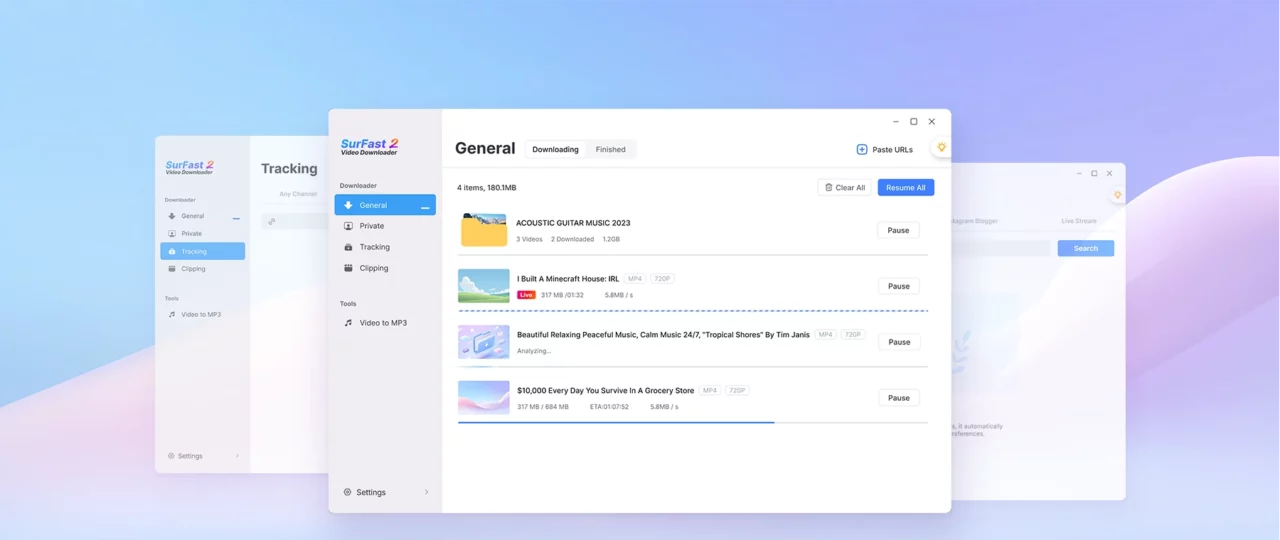
Get the #1 video downloader for your PC or laptop. Save 8K videos from any site with one click.
Works with Windows 8, 10, and 11
No malware
No ads
Native Windows
Download Any Videofrom Any Siteto Your Computer
Download videos from YouTube, TikTok, Instagram, and over 1,000 other websites directly to your computer. This PC video downloader makes it incredibly simple to save videos from virtually any website. Whether you’re watching a tutorial on YouTube, a short video on TikTok, or a live stream on Twitch, SurFast Video Downloader handles it all with just one click.
Video Platforms
YouTube
TikTok
Rumber
Vimeo
Dailymotion
Bilibili
Social Media Platforms
Facebook (videos and reels)
X (formerly Twitter)
Music & Audio Platforms
YouTube Music
SoundCloud
Bandcamp
Mixcloud
Live Streaming Platforms
Twitch (VODs, highlights, clips)
Kick
YouTube Live
Download Any Content You Want Directly to Your Windows PC
SurFast Video Downloader does more than videos. It also downloads audio, subtitles, and thumbnails, all in the best available quality.
Video Download
Download high-definition videos in 4K or 8K resolution with zero quality loss.
Audio Download
Extract crystal-clear audio from any video link in high-bitrate MP3 or WAV formats.
Subtitle Download
Fetch subtitles in SRT, VTT, or ASS formats for perfect playback across all devices.
Thumbnail Download
Save high-quality cover images and thumbnails from YouTube or TikTok videos easily.
Save Files in YourPreferred Formatand Quality
SurFast Video Downloader works as both a downloader and a converter. Choose the format and quality that suit your needs with no compatibility or quality concerns.
Wide Format Support
Video: MP4, WebM, MOV, FLV, AVI, MKV, GIF
Audio: MP3, WAV, M4A, AAC, ALAC, FLAC, OGG, OPUS
Subtitles: SRT, VTT, LRC, ASS
Customizable Quality Levels
Video: From 144p up to 8K (if available)
Audio: 128 kbps, 256 kbps, or 320 kbps
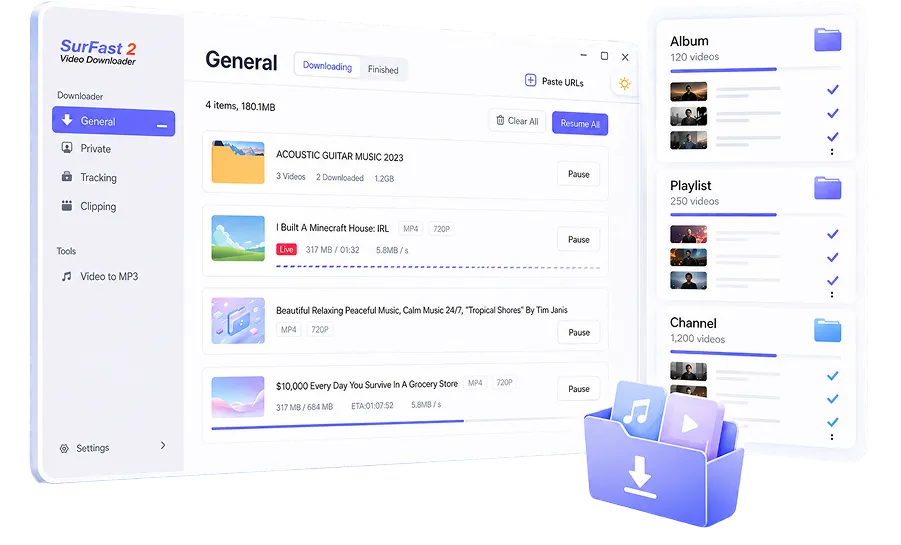
Download Entire Albums, Playlists, and Channels inOne Click
No more downloading videos one by one. Paste a link to any album, playlist, or channel, and this Windows video downloader will fetch all available content automatically.
Download Videos with High Efficiency
Skip the hassle. SurFast Video Downloader cuts out extra steps so you get videos faster and easier.
Chrome Browser Integration
One-click download button directly in your browser sidebar or video player context menu.
Smart Clipping
Only want a segment? Select start and end points before downloading to save only what you need.
Preset Download Settings
Set your preferred quality once. The app remembers your choices for every subsequent link.
Enjoy Advanced Features with This Video Downloader for PC
Go beyond basic downloading with smart automation, scheduling, and access to restricted content.

Automatic Downloads
Monitor specific channels or creators. The moment they upload, SurFast starts saving the video for you.

Scheduled Downloads
Schedule heavy downloads for off-peak hours or late at night to keep your bandwidth free for work.

Private Content Access
Securely log in to platforms via the built-in browser to download your purchased or member-only videos.
Built for Windows: Full-Featured
and Ready to Use
SurFast Video Downloader comes with everything built in: browser integration, format conversion, clipping, and more. No need for extra codecs or third-party tools.
Supports Windows 8.1, 10, and 11
Native x64 architecture optimized for the latest Windows builds.
All-in-One Engine Included
No need to download extra codecs like FFmpeg; it’s all built-in.
No Bloat, No Bundles
A clean installer that only installs SurFast. We respect your privacy.
Ready from First Launch
No complex configuration required. Open it, paste link, and go.
Get Your Favorite Videos Onto Your PC Easily
With its clean UI and intuitive interface, SurFast Video Downloader makes it easy to save the content you like.
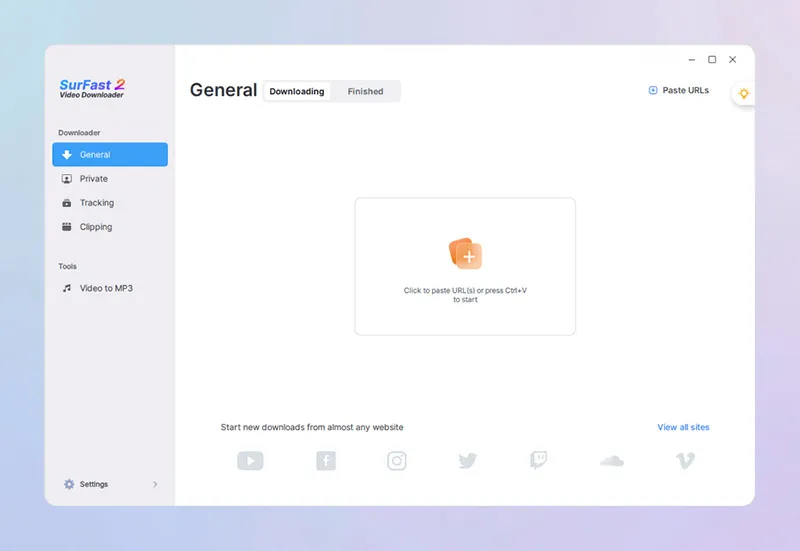
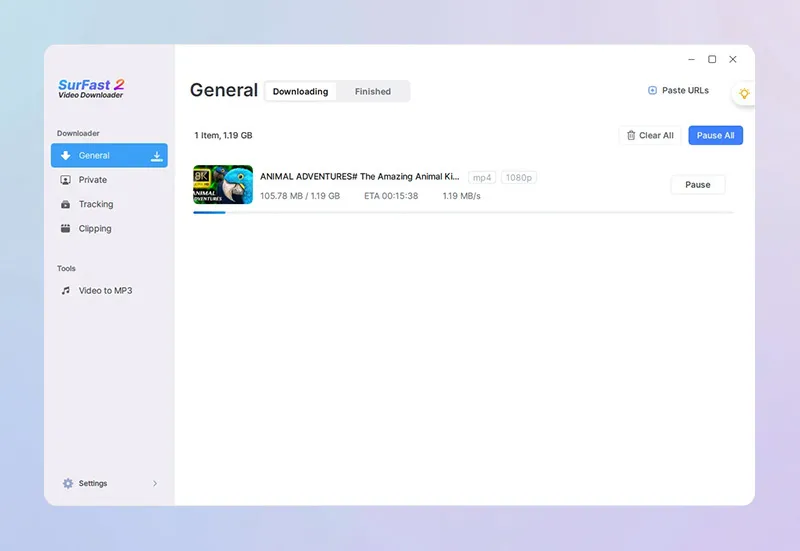
Paste Link
Grab the URL from any supported site and drop it into the app.
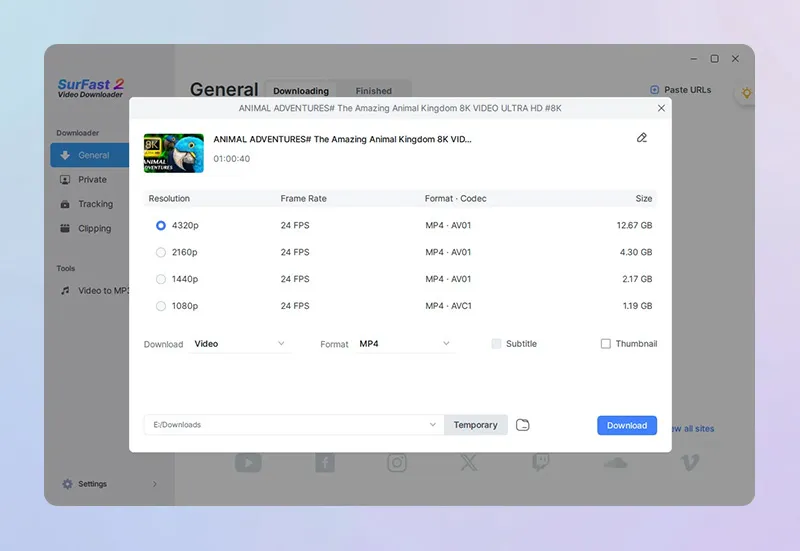
Set Download Settings
Set the download settings, including format, quality, and save location.
Start Download
Click Download.
You Might Also Like
Practical tips and guides to help you download any content you like from the internet.
Frequently Asked Questions
Quick answers to common questions about SurFast Video Downloader.
Is SurFast Video Downloader safe to use?
Yes. SurFast Video Downloader is 100% clean, with no malware, no adware, and no hidden background processes. We recommend downloading the app from our official Nabla Mind website to ensure safety and authenticity.
Does this PC video downloader work on Windows 7?
We do not fully support Windows 7. Users on this older operating system may experience download failures or unexpected errors. For the best experience, we recommend using Windows 8 or later.
Is this video downloading software free to use?
Yes, you get three free downloads to try it out. After that, you can choose a paid plan, monthly, yearly, or lifetime, based on your needs. Each license works on up to three PCs.