
Let AI summerize this article for you:
 ChatGPT
 Claude
 Gemini
 Grok
Grok Perplexity
Updated on
Key Takeaways
Finding the right YouTube playlist downloader transforms how you save and organize video content for offline viewing. Whether you’re archiving educational courses, music compilations, or podcast series, the best tools handle entire playlists in minutes rather than downloading videos one by one. Here’s what matters most: speed, format flexibility, and reliability. Desktop applications typically offer superior performance over online converters, with batch processing capabilities that can handle playlists containing dozens or even hundreds of videos simultaneously.
The critical factors separate exceptional downloaders from mediocre ones. Look for tools that preserve original quality, support multiple formats (MP4, MP3, WebM), and provide resume functionality if downloads interrupt. According to current data, the most effective solutions also include subtitle downloading, metadata retention, and automatic thumbnail extraction. Platform compatibility matters—Mac and PC users need different optimizations, though cross-platform options exist. Security represents another non-negotiable: the best YouTube playlist downloaders come from verified publishers without bundled adware. Understanding these fundamentals ensures you’ll download playlists efficiently without compromising your system’s safety.
How to Choose a YouTube Playlist Downloader
Selecting the right playlist downloader requires evaluating several practical factors that directly impact your experience. Download speed tops the list—batch downloading hundreds of videos can take hours with slower tools, while efficient downloaders process multiple files simultaneously.
Quality options matter significantly. Look for tools supporting 4K and HD resolution downloads alongside various audio formats like MP3 or M4A. The interface should let you select resolution per playlist or apply defaults globally.
Platform compatibility determines accessibility—desktop apps typically offer faster performance, while online tools provide cross-platform convenience without installation. Consider whether you need mobile support for Android or iOS alongside your PC or Mac.
Additional features separate basic from premium downloaders: subtitle extraction, automatic metadata tagging, built-in media libraries, and scheduled downloads. What typically happens is users start with simple tools, then migrate to feature-rich options as their archiving needs grow more sophisticated.
1. SurFast Video Downloader
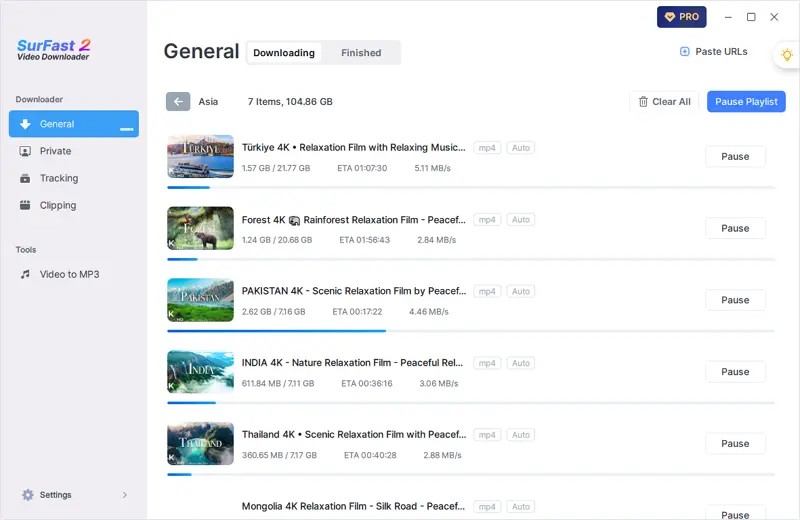
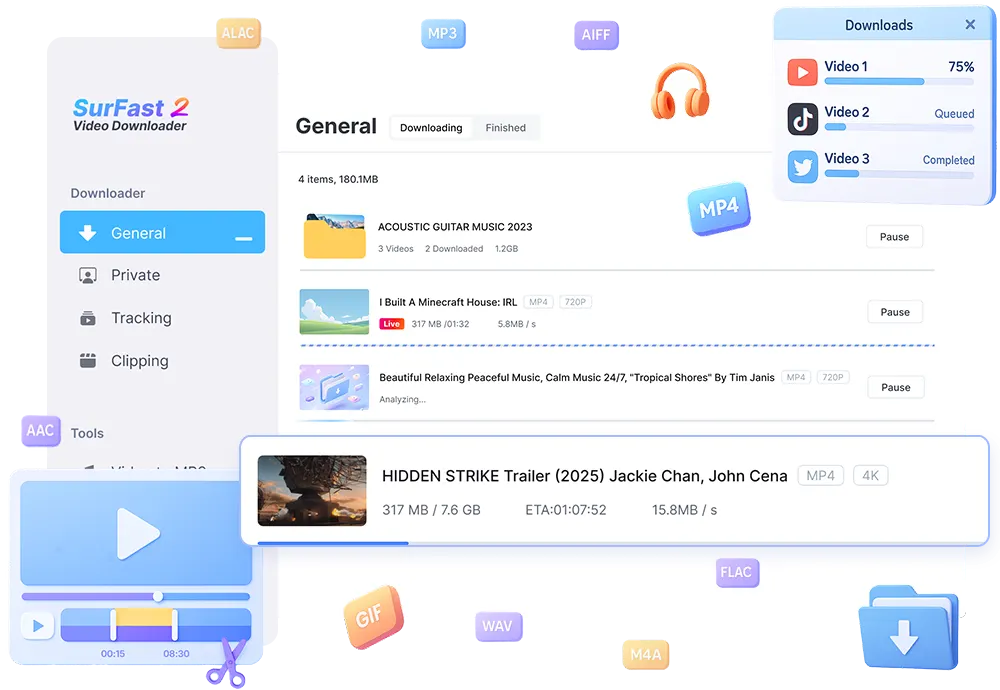
SurFast Video Downloader stands out as a YouTube downloader that handles playlists with exceptional efficiency on both Windows and Mac systems. This desktop application processes entire playlists in batch mode, downloading up to 200 videos simultaneously while maintaining high-quality standards up to 8K resolution.
The software supports multiple format options, including MP4, WebM, and audio-only MP3 extractions at bitrates up to 320kbps.
What makes SurFast particularly practical is its smart queue management system. You simply paste a playlist URL, select your preferred quality settings, and the tool automatically queues every video for download. The interface displays real-time progress for each item, allowing you to pause, resume, or prioritize specific videos within the batch.
For users managing extensive video libraries, SurFast includes automatic metadata preservation that maintains original titles, descriptions, and thumbnail images. This organizational feature proves invaluable when archiving educational content or building offline reference collections. However, the software requires a one-time purchase after the free trial period expires.
2. 4K Video Downloader
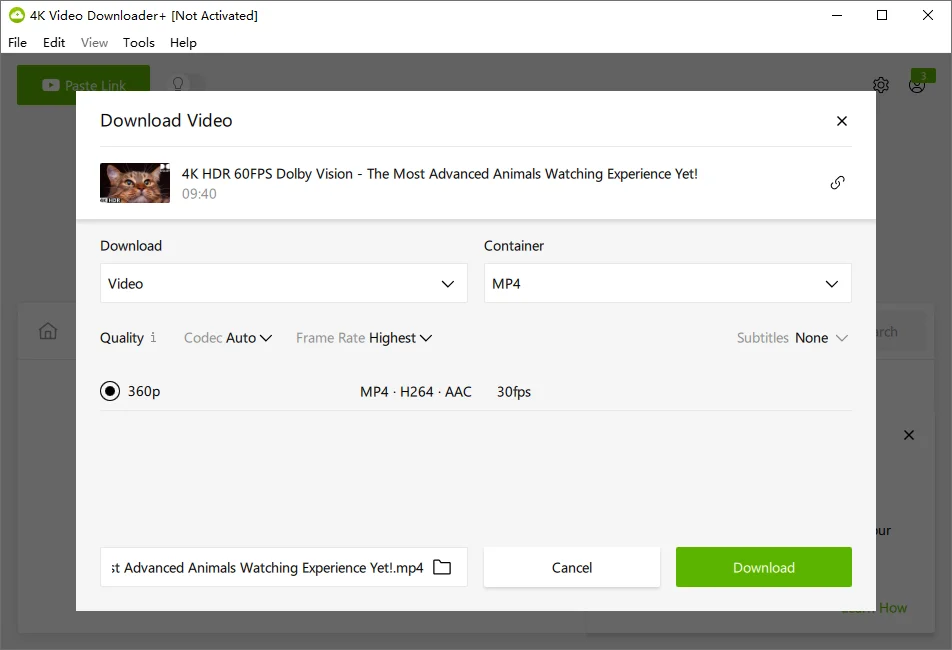
4K Video Downloader delivers one of the most straightforward approaches to downloading YouTube playlist content across Windows, Mac, and Linux platforms. This desktop application has earned its reputation through consistent performance across millions of downloads, making it particularly attractive for users who prioritize simplicity.
The software’s Smart Mode feature stands out by remembering your preferred quality settings, eliminating repetitive configuration. Once you set your desired format and resolution, every subsequent playlist download follows those preferences automatically. This proves valuable when downloading multiple playlists regularly.
Key Capabilities:
- Supports resolutions up to 8K with HD audio extraction
- In-app proxy configuration for accessing restricted content
- Automatic subtitle downloading in multiple languages
- Private video downloads when logged into your YouTube account
However, 4K Video Downloader limits free users to 30 downloads per day before requiring a license purchase. The interface occasionally lags when processing particularly large playlists—those exceeding 100 videos—though downloads themselves remain reliable. For users who need unlimited daily downloads and faster processing, the paid version removes these constraints while adding scheduled download capabilities.
3. JDownloader 2
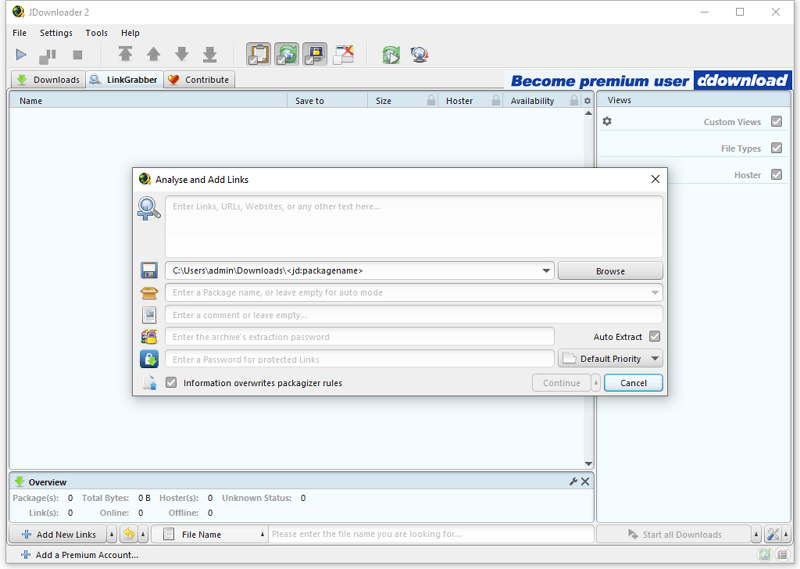
JDownloader 2 offers a completely free, open-source solution for YouTube playlist download tasks across Windows, Mac, and Linux systems. This Java-based application handles multiple downloads simultaneously, making it particularly efficient for large playlists containing dozens or hundreds of videos.
The interface might appear technical at first glance, but the core functionality remains straightforward. Simply paste a playlist URL into JDownloader 2, and the software automatically detects all available videos. You can then select individual items or batch-process entire collections. According to Setapp’s testing, JDownloader 2 successfully handles playlists from over 300 supported websites beyond YouTube.
One standout feature: the built-in reconnection system automatically resumes interrupted downloads, which proves valuable during overnight batch processing of extensive playlists. The software also includes browser integration for Firefox and Chrome, streamlining the playlist download workflow.
However, the trade-off for this robust functionality comes in the form of a steeper learning curve compared to commercial alternatives. The community-driven development means updates arrive regularly, but technical support relies primarily on forums rather than direct assistance.
4. Downie 4
Downie 4 stands as a premium Mac-exclusive solution that many consider the best YouTube downloader for Apple users who prioritize simplicity and reliability. This lightweight application supports over 1,200 sites beyond YouTube, making it a versatile choice for content collectors across multiple platforms.
The software operates through an intuitive drag-and-drop interface where you simply paste a playlist URL and let Downie handle the rest. According to 9 top YouTube video downloaders | Tested in 2026, it automatically detects video quality options and downloads entire playlists sequentially without manual intervention. The application runs quietly in your menu bar, processing downloads in the background while you continue other tasks.
What sets Downie apart is its post-processing capabilities. The software automatically converts videos to formats optimized for specific devices—iPhone, iPad, or Apple TV—eliminating the need for separate conversion tools. However, Downie requires a paid license after a trial period, which may deter users seeking free alternatives. For those willing to invest in premium software, Downie delivers consistent performance with regular updates supporting the latest platform changes. The next option offers a free alternative that’s been around even longer.
5. YTD Downloader
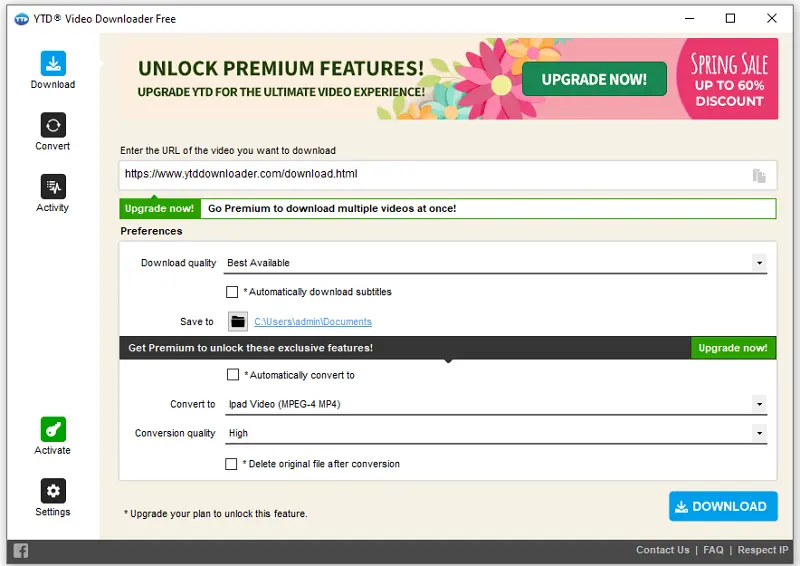
YTD Downloader positions itself as a straightforward free YouTube downloader that prioritizes accessibility for casual users who need basic functionality without complexity. This Windows-native application strips away advanced features in favor of a simple copy-paste workflow that gets the job done for individual videos and small playlists.
The software supports common video and audio formats including MP4, AVI, and MP3, making it suitable for users who primarily want to save content for offline viewing on standard devices. YTD’s built-in converter handles format changes automatically, eliminating the need for separate transcoding software.
However, the free version includes aggressive advertising that interrupts the download experience, and batch capabilities remain limited compared to tools like JDownloader 2 or 4K Video Downloader. The application works best for users downloading occasional playlists rather than managing large content libraries. What typically happens is that power users outgrow YTD’s feature set quickly, while beginners appreciate its minimal learning curve and one-click approach to managing multiple downloads.
For those seeking more robust automation or ad-free experiences, exploring alternatives becomes necessary.
Limitations and Considerations
Before committing to any playlist downloader, understanding the practical constraints helps avoid frustration down the road. Most 4K YouTube downloader tools share common limitations that affect daily usage patterns.
Legal gray areas create the most significant concern. While downloading your own content remains clearly permitted, saving copyrighted material for personal viewing exists in murky territory depending on your jurisdiction. What typically happens is that individual users face minimal risk, but redistributing downloaded content crosses definitive legal boundaries.
Platform changes represent an ongoing challenge. YouTube regularly updates its infrastructure, which periodically breaks downloaders until developers release patches. Premium tools like 4K Video Downloader usually adapt within days, while free alternatives may lag weeks behind or abandon updates entirely.
Storage demands escalate quickly with playlist downloads. A single 4K video consumes 1-5GB, meaning a 50-video playlist can require 50-250GB of drive space. This reality makes selective downloading strategies more practical than bulk saves for many users.
Copyright detection has improved significantly. YouTube’s Content ID system flags copyrighted material instantly, and while downloaders can bypass this technically, users should recognize they’re accessing content outside its intended distribution method. The next section provides a comparison table to help weigh these considerations against each tool’s capabilities.
YouTube Playlist Download FAQs
Is downloading YouTube playlists legal?
Downloading is legal for personal, offline viewing of content you have permission to access. YouTube’s Terms of Service prohibit downloading without explicit permission, but enforcement focuses on redistribution and commercial use. Educational content, public domain videos, and Creative Commons material typically pose fewer concerns.
Why do some videos fail to download?
Three common culprints: region restrictions block access outside specific countries, age-restricted content requires account verification, and live streams or premieres aren’t downloadable until they finish. Video unavailability (deleted or private) also prevents downloads—quality tools skip these automatically rather than stalling the entire queue.
Can I download members-only content?
Premium YouTube memberships include offline viewing within the official app, but third-party tools typically can’t authenticate membership status. What typically happens is authentication errors or skipped videos when attempting to download subscriber-exclusive content.
How much storage space do playlists require?
A 50-video playlist averages 2-5GB for 720p quality, scaling to 8-15GB for 1080p. Audio-only MP3 files consume roughly 5-10MB per song. Pre-checking available disk space prevents incomplete downloads—most tools display estimated file sizes before starting.
Wrapping up with the best choice for most people
The “best” choice ultimately depends on your specific workflow. If you need occasional downloads with minimal setup, browser-based tools offer instant access. Content creators managing research libraries benefit from desktop applications with organizational features. Users who download regularly will appreciate the efficiency of command-line tools once they’ve mastered the basics.
Key takeaway: Start with your actual usage pattern—not hypothetical scenarios. A simpler tool you’ll actually use beats a powerful one that sits idle because it’s too complex for your needs.
The YouTube playlist downloader landscape continues evolving as platforms adjust their policies and technologies advance. What works flawlessly today might require updates tomorrow. Bookmark your chosen tool’s documentation, stay current with updates, and always maintain backups of content you truly value. Your perfect downloader is the one that disappears into your workflow, letting you focus on the content itself rather than the technical details of acquiring it.


You May Also Like
-
Best 8 SFlix Alternatives to Watch HD Movies and TV Series for Free
In this article, we will reveal of some of the best SFlix alternatives for you. With these sites, you can enjoy free movies and TV series online or offline. The free streaming site SFlix was shut down in 2018 and many of SFlix sites were up and down. In this post, we will share you …
Charlene Chen Updated on -
Free Alternatives to YTMP3 for YouTube to MP3 Conversion
Say goodbye to YTMP3 and hello to a new collection of YouTube to MP3 converters. Get the best YTMP3 alternatives and rip MP3 from YouTube.
Myra Xian Updated on -
8 Best yt-dlp & YouTube-dl Alternatives That Actually Work
These 8 yt-dlp and YouTube-dl alternatives give you faster speeds, 8K quality, and simple GUIs. Includes Sboth free and paid options for Windows, Mac & Linux.
Myra Xian Updated on