
Let AI summerize this article for you:
 ChatGPT
 Claude
 Gemini
 Grok
Grok Perplexity
Updated on
Video DownloadHelper used to be the extension most people installed when they wanted to save online videos. These days, a lot of us are looking for something else, mainly because:
- Many major streaming sites actively block it.
- It now forces users to install a separate “Companion App” for most downloads, which feels outdated and intrusive.
- Frequent “stream not supported” errors even after installing the companion app.
- Slower development and poor support for new formats (AV1, 60 fps HDR, etc.).
Because of these issues, many users are actively searching for reliable Video DownloadHelper alternatives that can successfully download videos from the internet.
Part 3. Top 10 Video DownloadHelper Alternatives
SurFast Video Downloader
Supported platforms: Windows, Mac
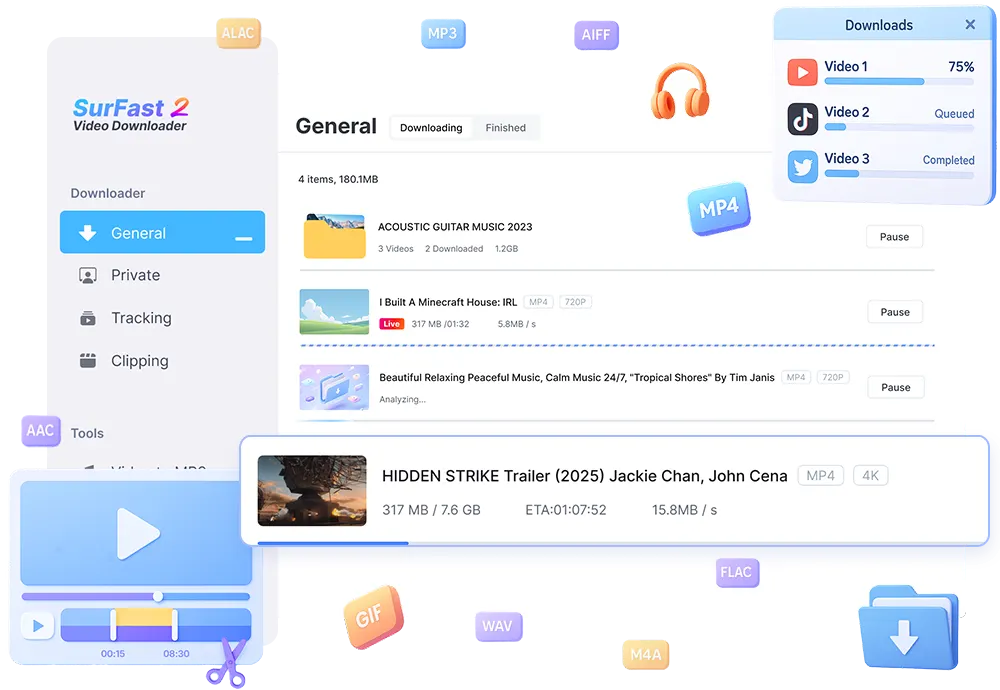
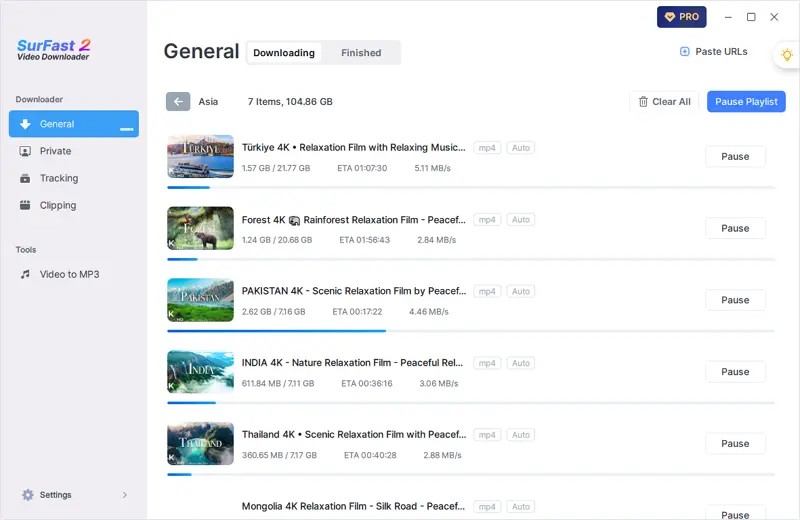
SurFast Video Downloader stands out as a robust desktop application engineered for users who demand efficiency and versatility in handling online media. Unlike traditional browser extensions, it operates independently, allowing seamless URL pasting or automatic clipboard detection to fetch content from over 1,000 platforms, including YouTube, TikTok, Facebook, Instagram, and even cloud storage services. What truly sets it apart is its focus on high-resolution downloads—up to 8K—coupled with intelligent features like scheduling live streams and tracking channels for automatic updates, making it ideal for content creators and avid collectors who need to build libraries without constant manual intervention.
Key Features:
- 8K/4K/1080p downloads with 10x faster speed
- Batch download entire playlists & channels
- Built-in format converter (MP4, MP3, WAV, M4A)
- Subtitle & thumbnail extraction
- Private video download (Facebook, YouTube, etc.)
Pros: Lightning fast, extremely reliable, lifetime license available
Cons: Paid software (but worth it)
4K Video Downloader Plus
Supported platforms: Windows, macOS, Linux, Android
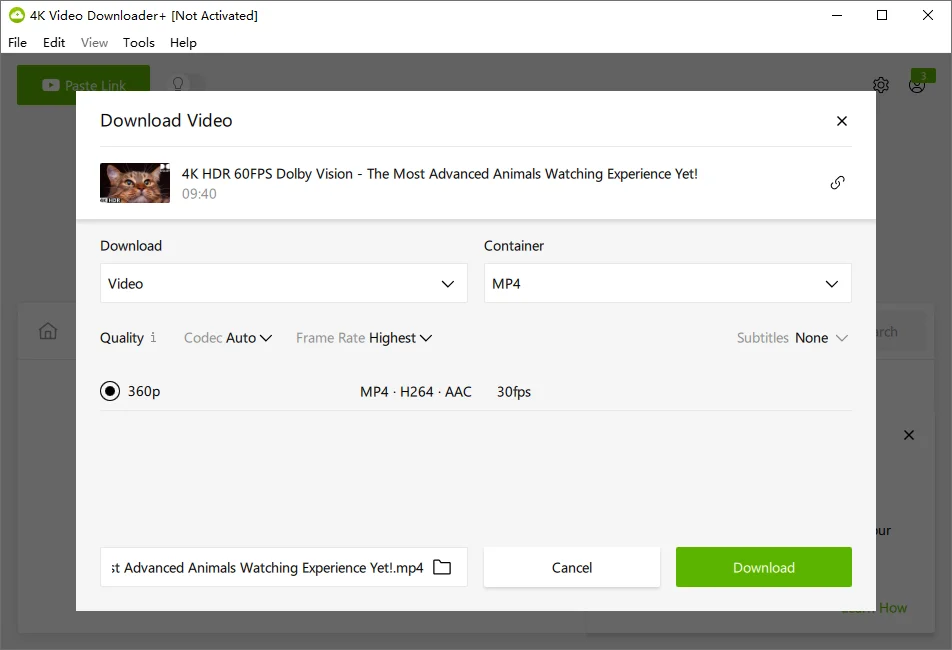
The interface of 4K Video Downloader Plus is very simple: paste a link, pick quality, and click download. The free version lets you download single videos and short playlists with no problem; the paid version just removes the 25-video playlist limit. It handles 4K and 8K fine, downloads subtitles as separate .srt files, and works with private YouTube playlists if you log in inside the app. Updates come regularly and it rarely breaks when sites change.
Key Features:
- YouTube playlists & channels in one click
- 8K, 4K, HDR support
- Extract subtitles in .srt
- Proxy connection for restricted regions
Pros: Clean interface, regular updates, free version still very capable
Cons: Free version limits playlist length
yt-dlp
Supported platforms: Windows, macOS, Linux
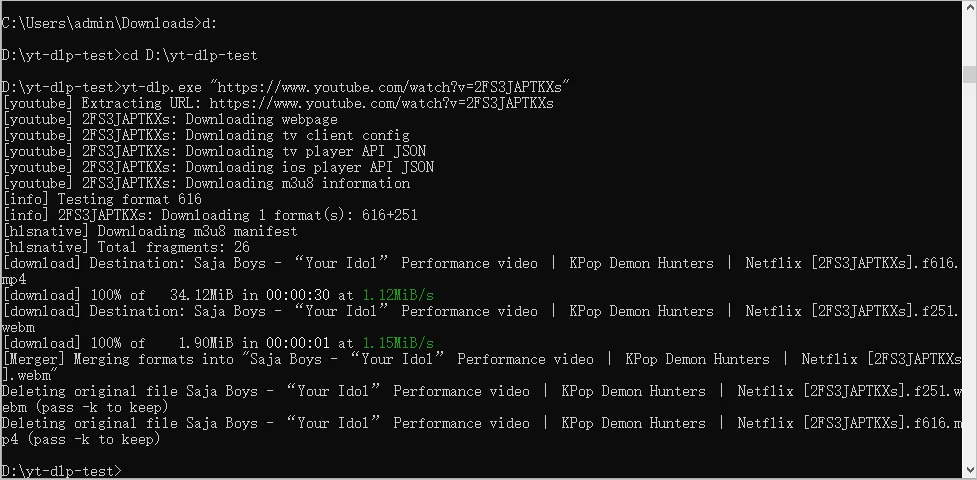
yt-dlp itself is a command-line tool, but there are several small free GUIs that make it point-and-click. Once you install a GUI, you get a normal window to paste links into. It works with literally thousands of sites, including ones the others sometimes miss. I use it when I need to download age-restricted videos, entire subreddits, or weird niche sites. It can skip sponsor segments automatically and always picks the highest quality available. Setup takes five minutes and then it just works.
Key Features:
- Downloads from 3000+ websites
- Best format selection (8K, AV1, 60fps)
- SponsorBlock integration
- Completely free and open source
Pros: Unmatched site support, totally free
Cons: Command-line by default (needs GUI wrapper)
JDownloader 2
Supported platforms: Windows, macOS, Linux
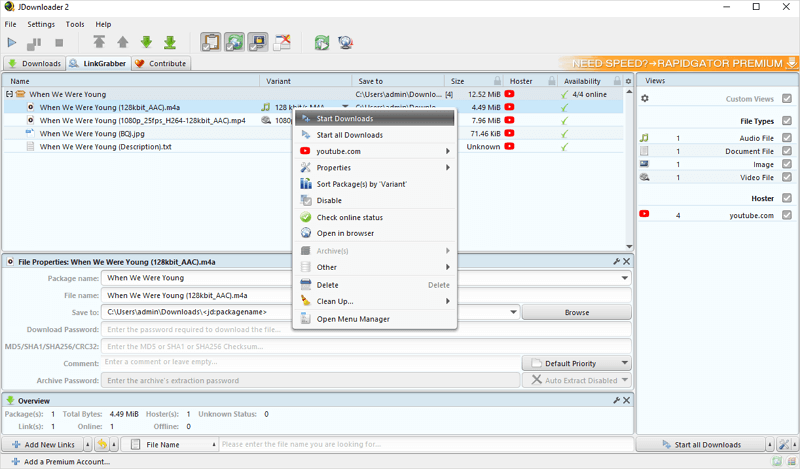
It’s an old-school download manager that also grabs videos. You copy any link, it appears in JDownloader automatically, and it figures out the real video file. I use it for mixed batches (some YouTube, some Vimeo, some random file hosters) because it handles everything in one queue. It can unpack archived links, solve simple captchas, and pause/resume without losing progress. The look hasn’t changed in years, but it’s rock-solid and completely free.
Key Features:
- Automatic clipboard monitoring
- Built-in OCR for captcha solving
- Plugin system for new sites
Pros: Free, handles link decryption extremely well
Cons: Interface looks dated
Internet Download Manager (IDM)
Supported platforms: Windows only
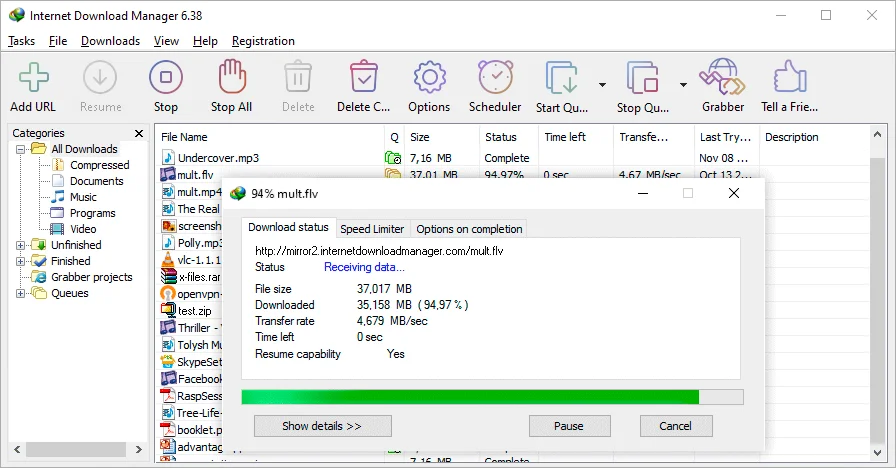
Paid Windows program that’s been around forever. It adds a small “Download this video” button on top of almost any video in the browser. If you download big 4K files or whole courses, it’s noticeably faster than everything else because it splits files into many parts. It also schedules downloads and resumes perfectly after internet drops. Only downside is it’s Windows-only and costs money, but the license is lifetime.
Key Features:
- Up to 10× faster segmented downloading
- Video grabber panel in browser
- Scheduler & queue system
Pros: Blazing download speed
Cons: Windows only, paid
ClipGrab
Supported platforms: Windows, macOS, Linux
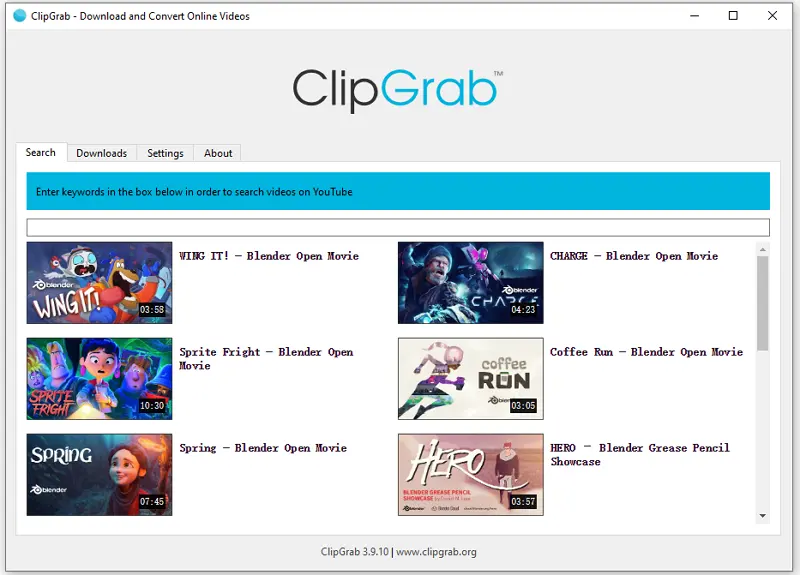
ClipGrab is a tiny free program with almost no settings. You paste a link or search YouTube inside the app, pick MP4 or MP3, and download. It’s perfect when I just need one or two clips quickly and don’t want to open a bigger program. No ads, no registration, no playlist support in the free version, but for single videos, it’s the least hassle.
Key Features:
- Clipboard monitoring
- Format & quality selection
- Built-in search bar
Pros: 100% free, no ads
Cons: No batch playlist downloads in free version
iTubeGo Video Downloader
Supported platforms: Windows, macOS, Android
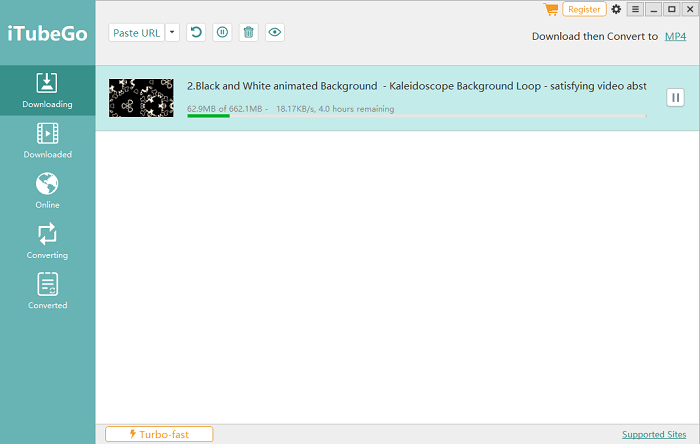
A regular desktop program that looks and works a lot like 4K Video Downloader. You paste one link or a whole playlist, it lists every available quality from 320p up to 8K, and you can pick video or just audio. I often use it when I want to download a bunch of videos and convert them straight to MP3 for my phone—no extra steps. It also has a simple built-in browser for private YouTube playlists or Facebook videos that need login. The free version lets you do 3 downloads per day; the paid version removes that limit and adds faster multi-threaded speed. Nothing fancy, just works every time.
Key Features:
- Supports 10,000+ sites
- One-click download entire playlists or channels
- Built-in video to MP3 (and other formats) conversion
Pros: All-in-one video solution
Cons: More expensive than dedicated downloaders
Allavsoft Video Downloader Converter
Supported platforms: Windows, macOS
Simple paid downloader that looks a bit dated but gets the job done. You can paste hundreds of URLs at once, choose to keep original quality or convert to something else while downloading. It’s especially handy for sites like Spotify playlists or Udemy courses because it can log in and grab protected content. Lifetime license is available.

Key Features:
- Batch download + convert
- Record screen as backup method
Pros: Reliable, lifetime license
Cons: Interface feels a bit old
GetVideos.Net (Web-based)
Supported platforms: Any device with a browser
Just a website—no install needed. Paste the video URL, choose the quality, and download. Works great for TikTok, Instagram Reels, Twitter videos, regular YouTube, etc. No software means I use it on my phone or on computers I don’t own. It can’t do private or age-restricted videos and only downloads one at a time, but for quick public clips, it’s the most convenient.

Key Features:
- No registration or software required
- Supports 1080p Full HD on most sites
- Fast servers worldwide
- Works perfectly on mobile
Pros: Truly free, no limits, works everywhere
Cons: Can’t download age-restricted or private videos
SnapDownloader
Supported platforms: Windows, macOS
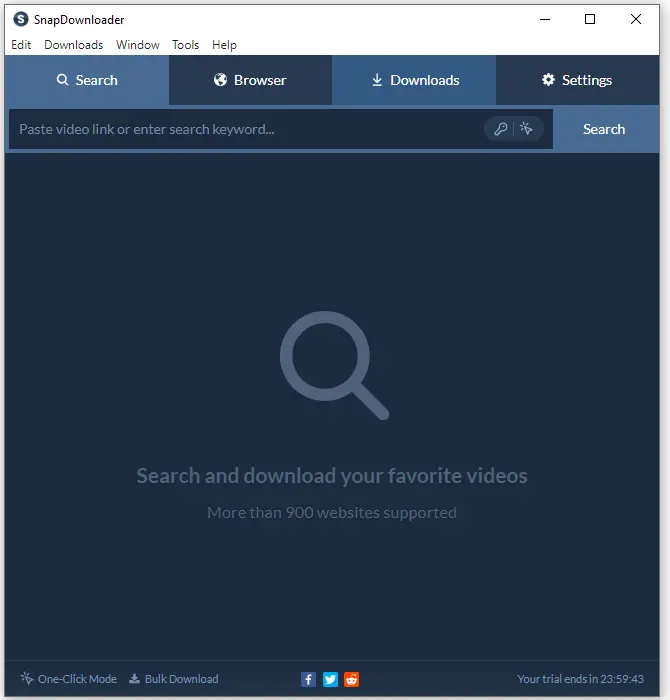
Clean, modern-looking paid program. Paste links, pick 8K if available, queue as many as you want. It has a built-in browser for logging into private accounts and a small trimmer if you only want part of a video. Interface feels newer than most competitors. 48-hour free trial, then one-time payment.
Key Features:
- Up to 8K resolution
- Built-in trimmer & converter
- Proxy support
Pros: Beautiful UI, fast
Cons: Paid after 48-hour trial
Choose the Best Video DownloadHelper Alternative
To help you choose the right Video DownloadHelper alternative, here’s a quick comparison of key metrics like platform support, site coverage, and performance factors. These are based on real-world tests and developer specs, highlighting why these tools outperform outdated extensions in reliability and speed.
| Tool | Platforms | Sites Supported | 8K Support | Batch/Playlist | Speed | Price | Companion App Needed? |
|---|---|---|---|---|---|---|---|
| SurFast Video Downloader | Win, Mac | 1000+ | Yes | Yes | 10x | $29.95 lifetime | No |
| 4K Video Downloader Plus | Win, Mac, Linux, Android | 100+ | Yes | Yes | Fast | Free / $15–45 | No |
| yt-dlp + GUI | All | 3000+ | Yes | Yes | Very Fast | Free | No |
| JDownloader 2 | All | Thousands | Yes | Yes | Fast | Free | No |
| IDM | Windows | Most | Limited | Yes | Fastest | $25 lifetime | No |
| ClipGrab | Win, Mac, Linux | ~100 | No | Limited | Medium | Free | No |
| iTubeGo Video Downloader | Win, Mac, Android | 1000+ | Yes | Yes | Fast | Free (3/day) / $29.95 lifetime | No |
| Allavsoft | Win, Mac | 1000+ | Yes | Yes | Fast | $59.99 lifetime | No |
| GetVideos.Net | Any browser | 500+ | Limited | Single only | Fast | Completely Free | No |
| SnapDownloader | Win, Mac | 900+ | Yes | Yes | Fast | $29.99 lifetime | No |
FAQs
Based on common questions from users switching from Video DownloadHelper, here are some practical answers. These cover the main pain points like compatibility, safety, and site-specific issues.
Why doesn’t Video DownloadHelper work on YouTube anymore?
YouTube (and most big sites) now hide the direct video links and use encrypted streams. The extension can’t see them anymore, so you get “no streams detected” even with the companion app installed. Desktop programs don’t have this problem because they read the page differently.
Are there any completely free alternatives that don’t need the companion app?
Yes.
- yt-dlp with a simple GUI (Stacher or similar) – free, works on thousands of sites, no limits.
- ClipGrab – tiny free program, no ads, perfect for single videos.
- GetVideos.Net – just a website, paste the link in any browser, works on phones too. All three need nothing extra installed.
Are these tools safe or will I get malware?
They are safe if you download them from the official sites. I’ve used 4K Video Downloader, JDownloader, ClipGrab, and yt-dlp for years with no issues. Millions of people do the same. Never use cracked versions or random mirrors – those are the ones that carry viruses.
Can they download private Facebook videos?
SurFast Video Downloader supports downloading private videos from Facebook, YouTube, and more. You can go to the Private panel, sign in with your account, and then you can download private videos that you have access to.
Wrapping Up
Video DownloadHelper had a great run, but it’s simply no longer the best choice for most users. Whether you want a powerful desktop app (SurFast, 4K Video Downloader Plus, yt-dlp), blazing speed (IDM), or a zero-install web solution (GetVideos.Net), there are far better alternatives available today that support more sites, higher resolutions, and don’t force you to install companion apps.
Pick the one that matches your platform and workflow—you’ll never look back at Video DownloadHelper again.


You May Also Like
-
Best 15 Soap2Day Alternatives for Free Movies and TV Show Streaming
Check free websites like Soap2Day that are still working in 2025, and enjoy movie streaming with your favorite Soap2Day alternative.
Myra Xian Updated on -
Best 18 Free Sites Like FMovies That Still Work
Here are 18 websites like FMovies for free movie streaming that still work. Choose the FMovies alternative you like best for a smooth viewing experience.
Myra Xian Updated on -
15 Best Free Bflix Alternative Sites for Movie Streaming
You can try these free Bflix alternative sites for movie streaming, including FMovies, SolarMovie, Tubi, and more.
Myra Xian Updated on