
How to Download Subtitles with SurFast Video Downloader
SurFast Video Downloader supports downloading original subtitles, auto-generated subtitles, and auto-translated subtitles. You can choose from three different ways to save them:
- Export as a separate subtitle file
- Embed as a selectable track in the video
- Burn permanently into the video
When exporting as a separate file, the following formats are supported: SRT, VTT, LRC, and ASS.
For complete usage instructions, see the SurFast Video Downloader Official Guide.
Table of contents
Download subtitles while saving a video
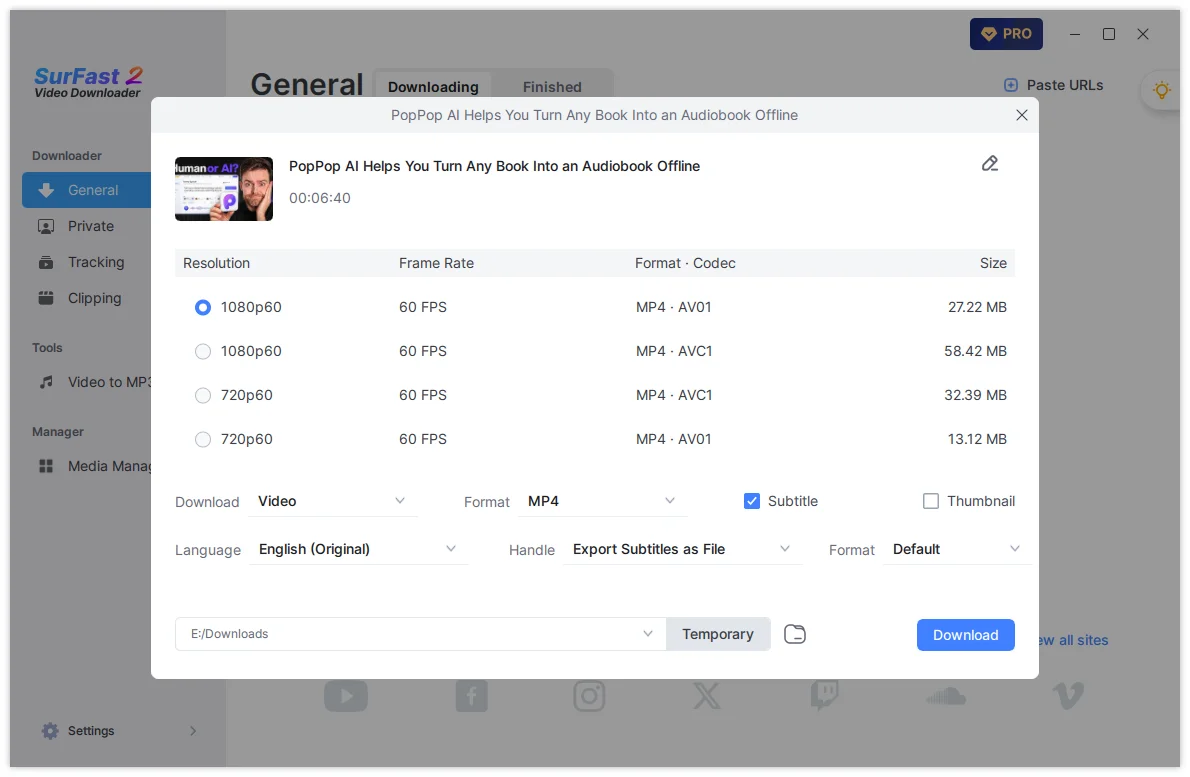
You can download videos and subtitles at the same time. Whether you need to save a single video or download an entire playlist, you can follow the steps below:
- Copy the video link and paste it into SurFast Video Downloader.
- Wait for the app to parse the link.
- In the download settings window, check the Subtitle option.
- Select the language you need.
- Choose how you want to save the subtitles (separate file, embed, or burn).
- If you select a separate file, choose the format (SRT, VTT, LRC, or ASS).
- Click Download.
Download subtitles using Global Settings
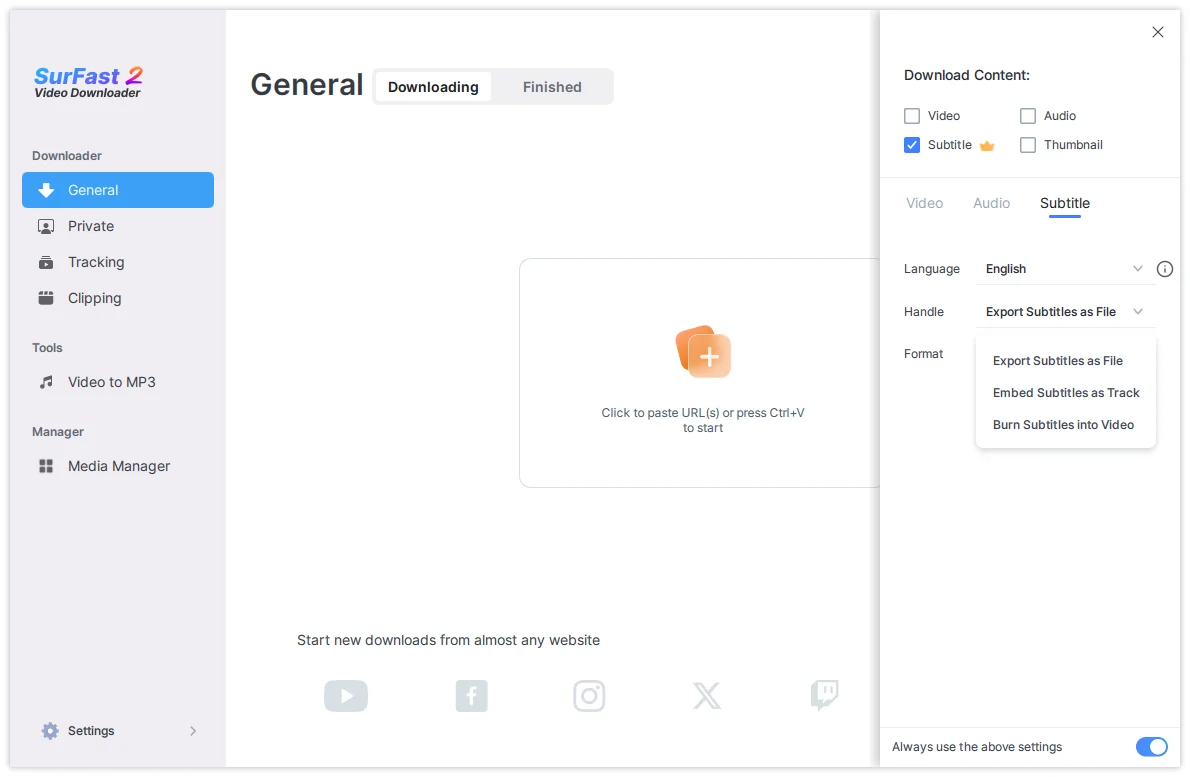
This method is recommended if you frequently download subtitles and want to apply the same settings automatically.
- Click the lightbulb icon to open Global Settings.
- Under Download Content, enable the Subtitle option.
- Go to Subtitle settings and choose your preferred language and saving method.
- Enable Always use the above settings.
- Paste the video link into the app. The app will download the subtitles according to your preset preferences.
Tips for downloading subtitles
- Subtitle availability depends on the source video. Not all videos provide subtitles.
- You can download subtitles only (without the video) by selecting just the Subtitle option in Global Settings.
- After downloading, check the Finished tab to find your files.
Summary
| Saving Method | Description | Best For |
|---|---|---|
| Separate file | Saves as SRT, VTT, LRC, or ASS | Editing or external use |
| Embed as track | Adds subtitles as a selectable track | Flexible playback |
| Burn into video | Permanently adds subtitles to the video | Sharing or devices without subtitle support |
With these options, you can download and manage subtitles flexibly using SurFast Video Downloader.