
Fast, Secure & Built for macOS
SurFast Video Downloaderfor Macby Nabla Mind
Latest version: V2.8.6
1,000+ Sites Supported
Video, Audio & Subtitles
15+ Output Formats
Batch Download
Built-in Video Clipping
4K & 8K High Resolution
Works with macOS 10.15 or later
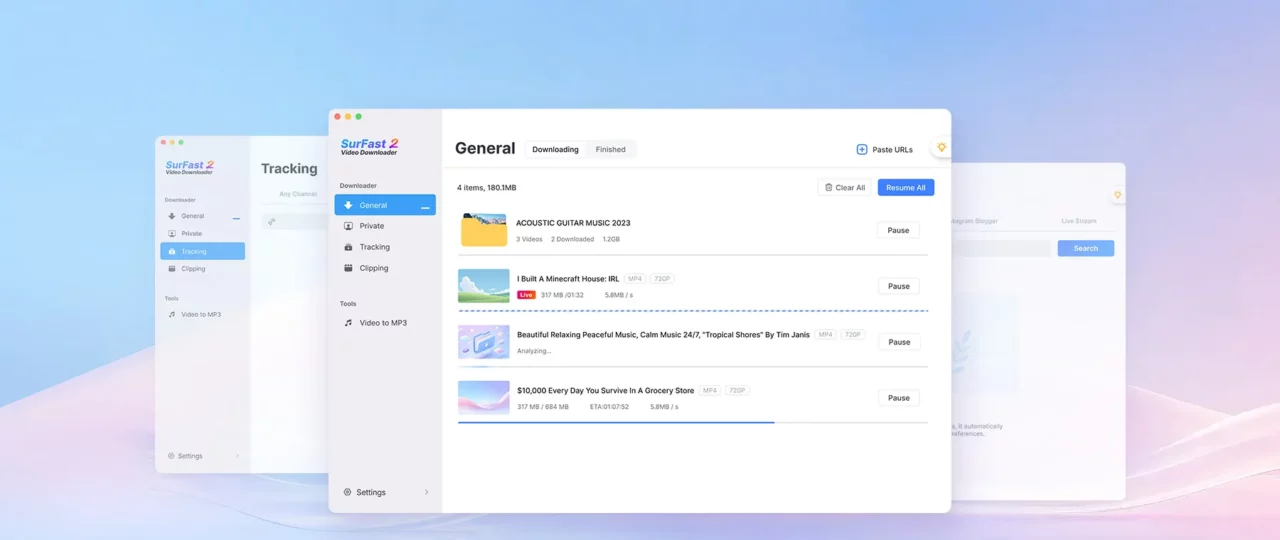
Extension Integration
Multi-Platform Support
Simple Clipping
8K Downloads
15+ Formats
More Than a YouTube Downloader for Mac
Download from 1,000+ websites worldwide. SurFast Video Downloader for Mac is a powerful all-in-one video downloader that lets you save videos, reels, live streams, and music from YouTube, TikTok, Instagram, Twitch, SoundCloud, and virtually any other site, quickly, cleanly, and securely on your Mac.
YouTube
TikTok
X (Twitter)
Twitch
SoundCloud
Vimeo
Dailymotion
Bilibili

Download Whatever You Like from Websites
SurFast Video Downloader is not just a video downloader for Mac. It’s your all-in-one tool for audio, thumbnails, and subtitles too. Grab everything you need from websites and save it straight to your Mac.

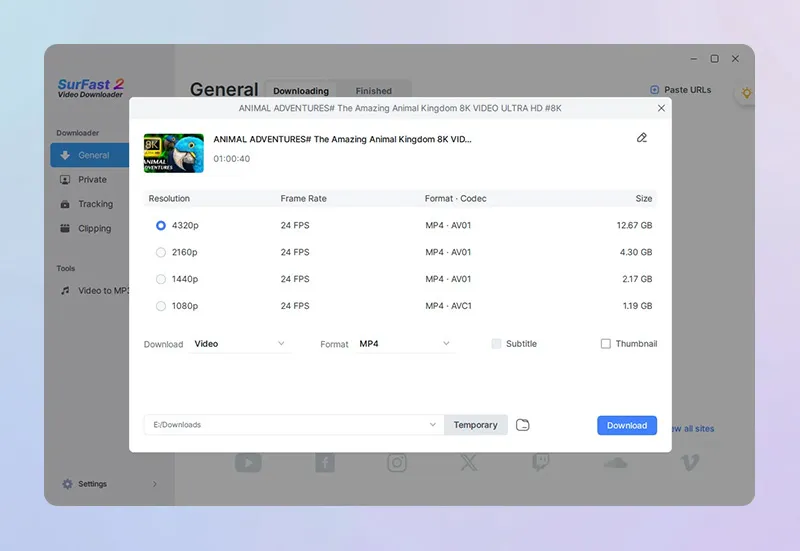
Customizable Quality Levels
Video: From 144p up to 8K (if available)
Audio: 128 kbps, 256 kbps, or 320 kbps
Download Online Videos in Up to 8K Quality
This video downloader app saves videos in their original resolution—anywhere from 144p to 8K. Whether you want to download YouTube videos in 1080p or save Bilibili videos in 4K, you get exactly the quality that‘s available online.
Choose Any Format That Works Best for You
SurFast Video Downloader gives you full freedom over output formats. Whether you’re saving video, audio, or subtitles, you can choose the exact type that works for your device or software. Feel free to convert YouTube videos to MP4, create GIFs from TikTok clips, or download Instagram audio tracks—exactly how you want them.
Wide Format Support
Video: MP4, WebM, MOV, FLV, AVI, MKV, GIF
Audio: MP3, WAV, M4A, AAC, ALAC, FLAC, OGG, OPUS
Subtitles: Embedded in video, burned into video, or saved separately as SRT, VTT, LRC, or ASS
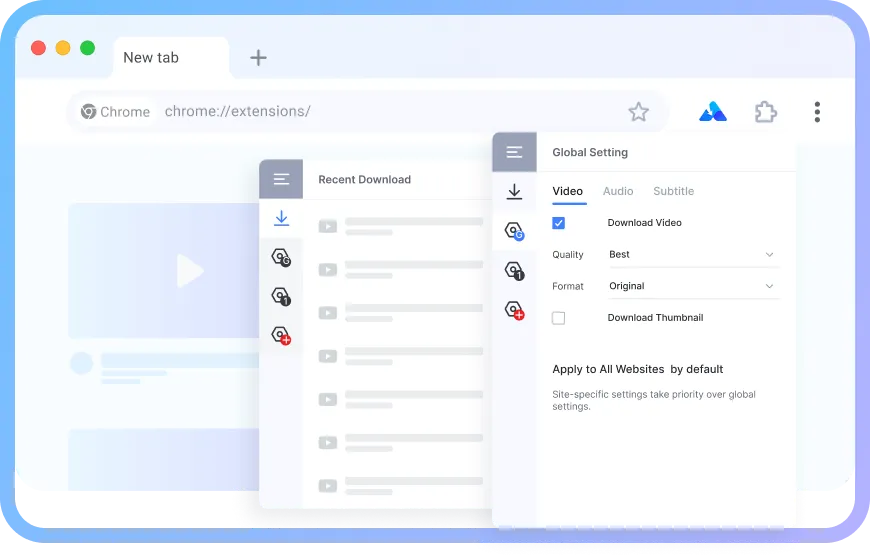
Download Videos from Websites via Chrome
Want to download any video from any site directly in your browser? That’s exactly what the SurFast Video Downloader Helper is designed for. This Chrome extension adds a Download option to your right-click menu, so you can save the video or audio without copying the link or leaving the page.
Check the installation guide here.
Clipping Tool
Trim and Download Only the Part You Need
No need to download an entire video or audio file just for a short clip.
Extract highlights from YouTube videos or podcasts
Built-in timeline with frame-accurate precision
Save storage space by downloading only what matters
Supports both video and audio extraction

Go Beyond Basic Video Downloads
Unlock advanced download capabilities with this video downloader for Mac. It gives you advanced control with smart tools designed for real-world use.
Efficient Bulk Download
Download entire albums, YouTube playlists, or full channels with a single click. No more repetitive downloads like on online video downloader sites.
Private & Live Video Support
Access and download videos from private links or ongoing live streams that other tools miss. As long as you can view it in your browser, SurFast Video Downloader can help you save it.
Automatic Downloads
Add your favorite playlists or channels to the tracking list, and the app will automatically download new updates for you.
Scheduled Downloads
Add upcoming live stream links ahead of time. The app automatically starts downloading as soon as the broadcast goes live, so you never miss a moment.
Global Download Preferences
Skip repetitive format and quality choices. Set your preferred settings once, and the app applies them automatically on every site with no manual selection needed.
Local Videos to MP3
Instantly extract high-quality audio from videos stored on your Mac. No internet required, just drag, convert, and enjoy.
Optimized for Mac: A Better Video Downloader Experience
Every aspect of this video downloader is fine-tuned for macOS, so it works faster, smoother, and with greater reliability.
Seamless macOS Integration
Built exclusively for macOS 10.15 and later, with deep compatibility across Apple Silicon and Intel Macs.
Faster, Smarter Downloads
Significantly faster parsing and downloading by leveraging native macOS frameworks and hardware acceleration.
Feels Like a Mac App Should
A clean, intuitive interface that follows Apple’s Human Interface Guidelines.
How to Download Videos from the Internet to Your Mac
This video downloader is designed to get you from link to file without any extra steps. Just follow three simple steps:
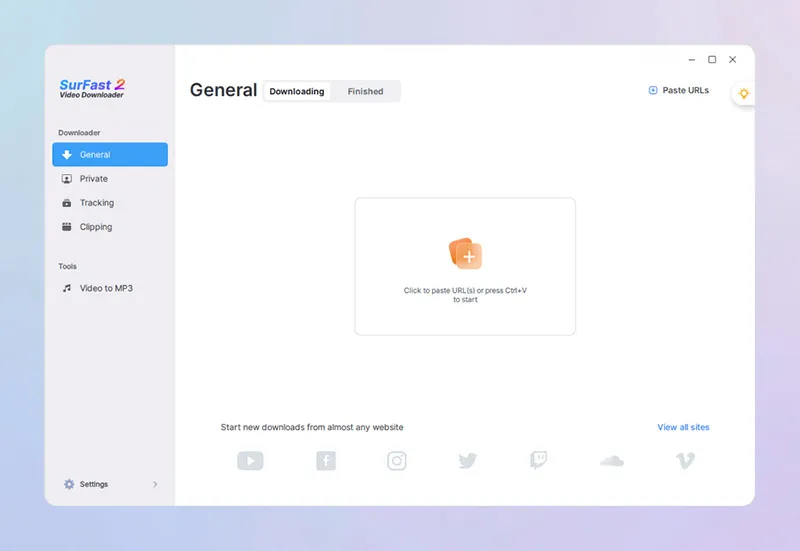
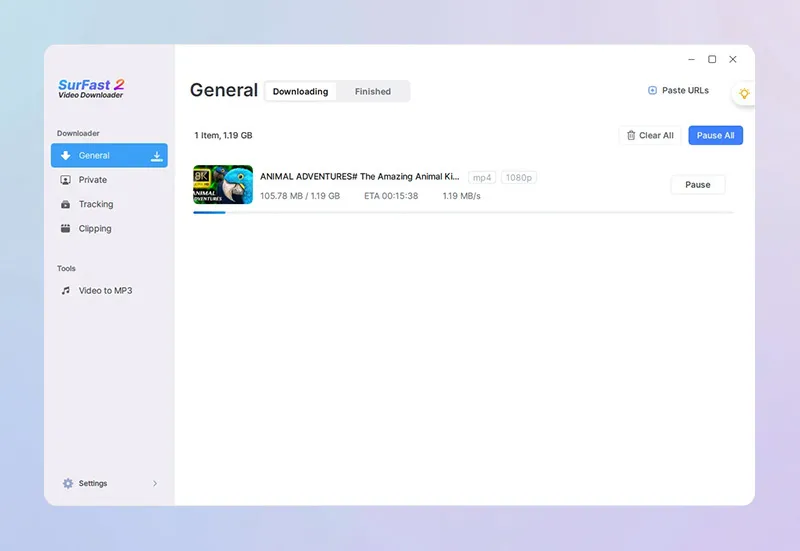
Paste URL
Paste the video link into the app.
Select Download Options
Choose your preferred format, quality, and where to save it on your Mac.
Click Download
Click Download, and you’re done.
Loved by Mac Users Around the World
See why Mac users love using this downloader to save videos.

Flávio Croffi
The application is extremely easy to use and makes life much easier. Both to use the tool professionally and personally. Video editors and social media users will love it!

Loporchio Massimiliano
The software is easy to use, clean and simple interface. It works well for downloading many videos from YouTube, you can choose from different video quality options. You can also download subtitles, embedded or separate files, a very useful option.

Mark Ohler
This is one of the best yet after using many downloaders over the years. I had some inquiries that the team worked to resolve quickly, with great and speedy communication.

Glen LIM
This product is highly effective and user-friendly. Its stability and ease of use are significant time-savers. The streamlined workflow, eliminating the need for multiple tab switching, reduces download times by at least 50% compared to a previous app I was using (which was already awesome already by the way).
Popular Video Download Tips for Mac Users
Get practical advice on saving videos from YouTube, TikTok, Instagram, and other sites. All guides are tested on macOS, respect your privacy, and avoid unnecessary software.
Frequently Asked Questions
Have questions about SurFast Video Downloader or downloading content on your Mac? Below are answers to the most common questions from users like you.
Does it work on the latest version of macOS?
Yes. SurFast Video Downloader is fully compatible with the latest macOS versions, including macOS Sequoia and macOS Tahoe (macOS 26), and runs smoothly on both Intel and Apple Silicon Macs.
Is SurFast Video Downloader safe for Mac?
Absolutely. SurFast Video Downloader contains no ads, no pop-ups, and no potential malware. As long as you download it directly from our official website, you’re getting a clean, secure version that respects your system and privacy.
How does SurFast Video Downloader Helper work?
The SurFast Video Downloader Helper is a browser extension that cannot be used on its own. It only works when the main SurFast Video Downloader app is installed on your Mac. Once set up, it lets you right-click any supported video in your browser and choose Download from the context menu. Currently, the helper is available only for Chrome and must be installed manually, but the process takes just a few seconds and requires no technical skills.